How to Book Tyres Online with TyreroomDirect (Step-by-Step Guide)
Reading time: 3–4 minutes
Not sure how TyreroomDirect works? This quick guide explains how to book tyres online — whether you want mobile fitting, a local garage, or just delivery.
Let’s break it down:
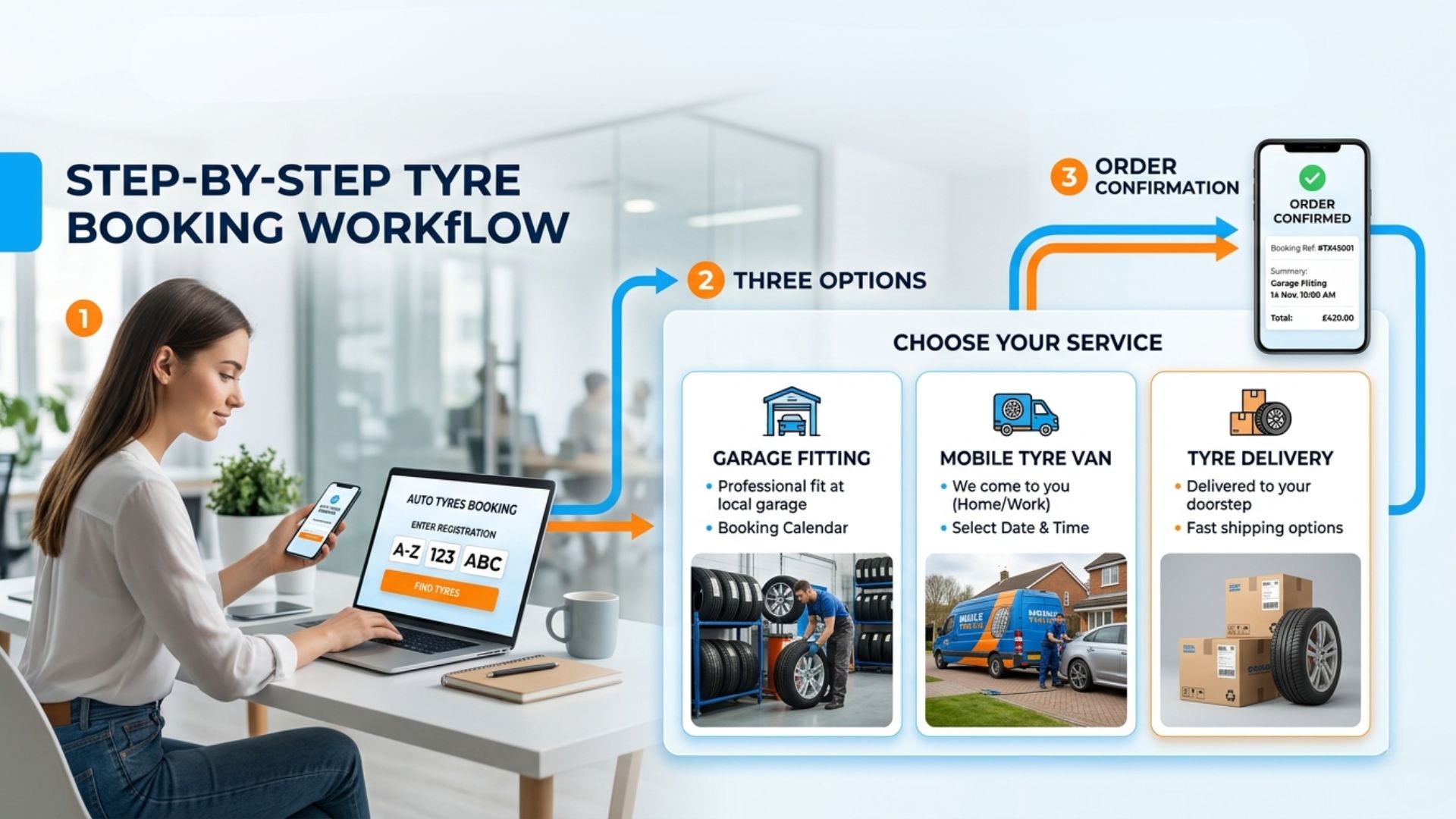
Step 1: Enter Your Reg or Tyre Size
You can start by entering your number plate — or just select your tyre size manually if you already know it.
We’ll then show you the best tyres available right now.
Step 2: Choose How You Want to Fit Them
TyreroomDirect gives you three options:
- Visit a local station – pick a garage near you
- Mobile fitting – get tyres fitted at home or work
- Delivery only – just want the tyres? We’ll ship them to you (or your customer)
No pressure — choose whatever works for you.
Step 3: Pick a Fitting Provider (Optional)
If you picked mobile or garage fitting, we’ll show you the available providers.
Each one has reviews, availability and location info so you can choose confidently.
If you selected delivery only, you can skip this step.
Step 4: See Tyres in Stock
Now you’ll see tyres that:
- Match your size
- Are actually available to order
- Will get delivered to your chosen fitter (or straight to you)
Say goodbye to calling garages asking if they have your size — we show live stock.
Step 5: Choose a Time Slot and Book
Pick the best time and date that suits you. Your tyres will be delivered in time for the fitting — or to your door if you chose delivery.
You’ll get confirmation by email and SMS.
Bonus: 100% Money-Back Guarantee
Changed your mind? Wrong size? Customer cancelled? (For resellers and dropshippers)
No problem — we offer a 100% money-back guarantee on all tyres that haven’t been fitted or used.
Final Thoughts
TyreroomDirect makes tyre shopping simple:
- ✔️ Book online 24/7
- ✔️ Choose how and where to fit
- ✔️ No more calling around
- ✔️ Full refund guarantee
- ✔️ Works for dropshippers too
Book your next tyres online the easy way — with TyreroomDirect.